Know your state
Training load and recovery in one place.

AI Training Management App for Road Cycling
RideRIX connects with AI services such as ChatGPT, Claude, and Grok. It is a web app for managing road cycling training records, recovery, plans, and workouts with AI, from discussing your next session to carrying it out on Zwift or Garmin.
Start right away with the Intervals.icu integration or a FIT upload.
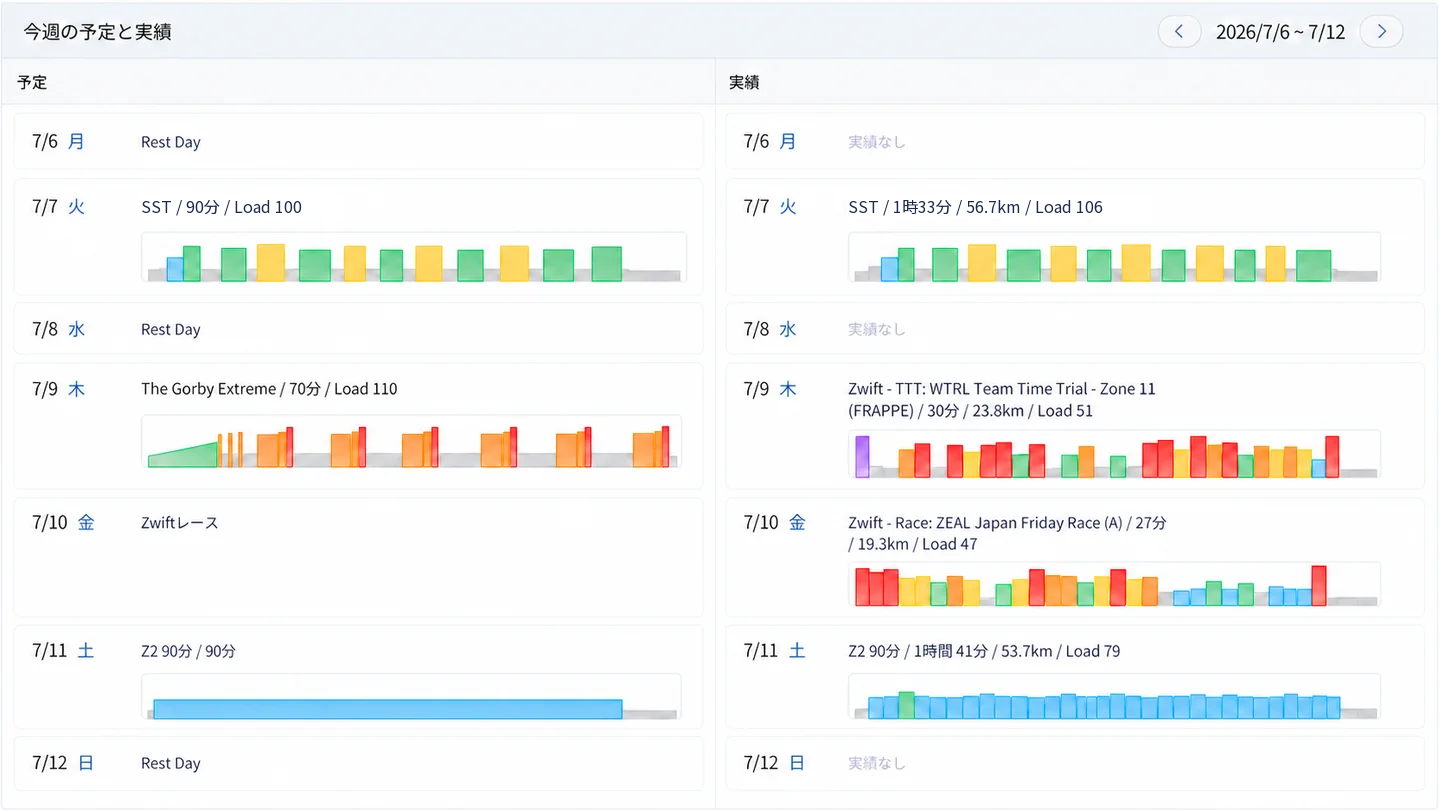
Tap to enlarge
See where you stand, build the plan, review your rides, and carry it into the next session.
Training load and recovery in one place.
Flip between plan and results on the monthly calendar.
Consult ChatGPT, Claude, or Grok and turn it into plans and workouts.
On top of Fitness, Fatigue, and Form, you can check recovery metrics such as HRV, sleep, and resting heart rate. Instead of chasing numbers separately, see them together as the basis for deciding today's load.
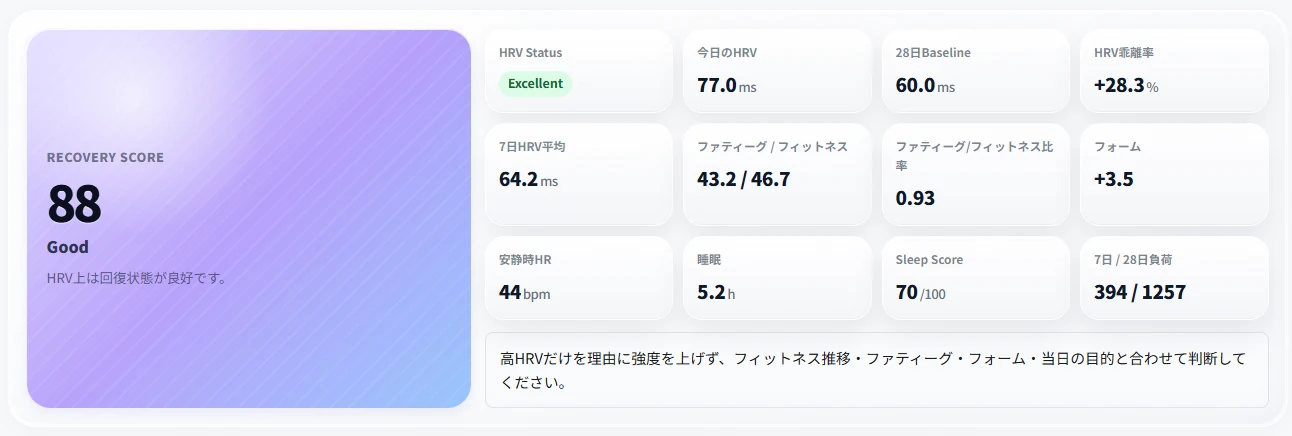
Tap to enlarge
Make the plan. Check how you rode. Adjust the next week to fatigue and life. RideRIX is not just an analysis screen — it is where your day-to-day training plan lives.
Manage workouts, races, rest days, and more as dated plans. Insert saved workouts from your library into the plan.
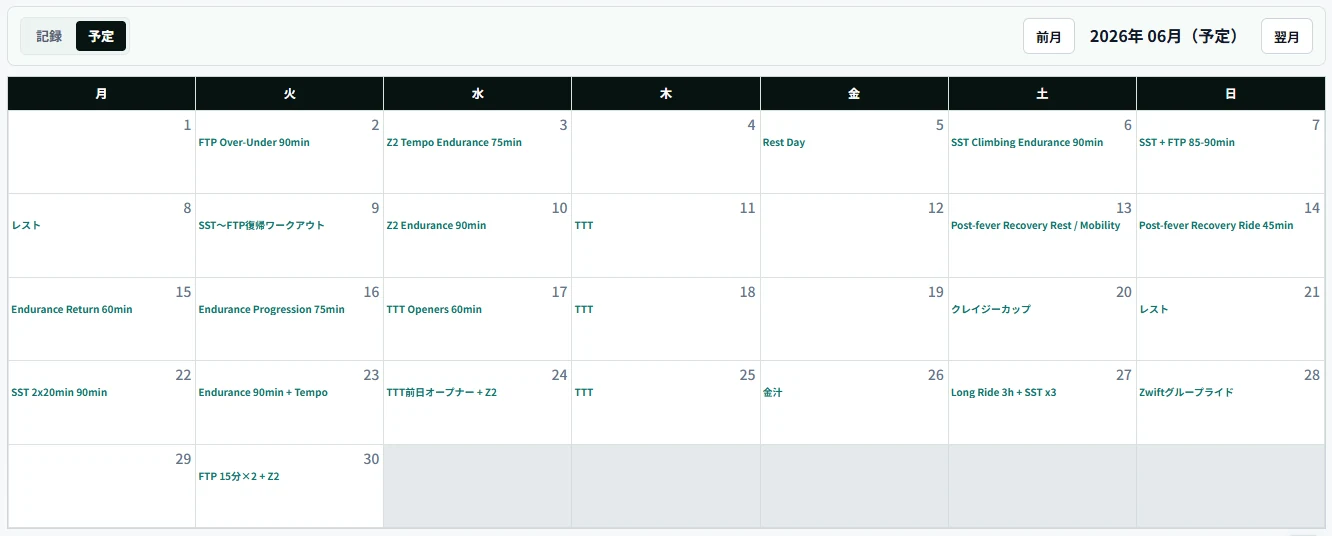
Tap to enlarge
Flip between the plan and record calendars to compare days you completed, days you changed, and weeks where the load skewed. Connect plan and outcome to the next week.
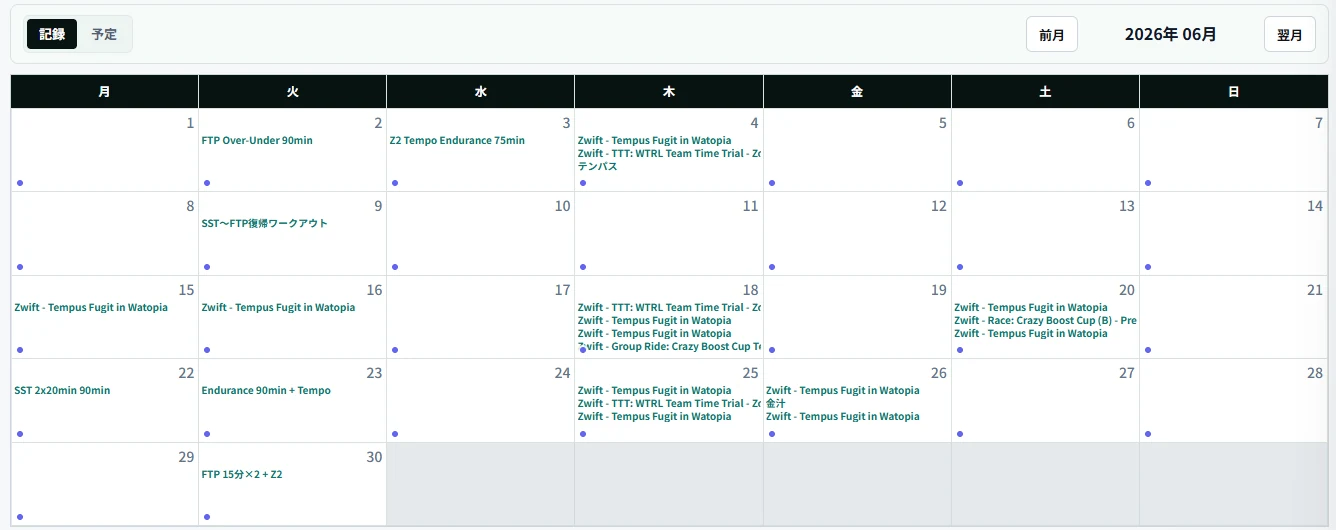
Tap to enlarge
ChatGPT, Claude, and Grok can view your RideRIX activities, wellness data, and plans. On Standard, conversations can write plans and workouts, activity assessments, goals, wellness, and weight/FTP data to RideRIX.
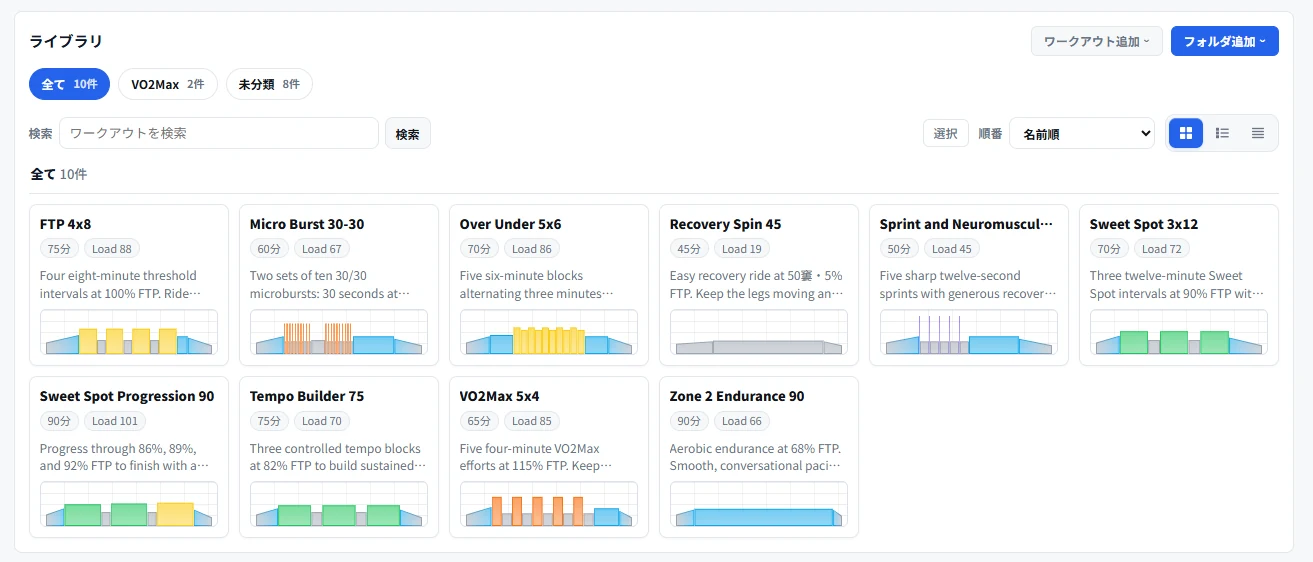
Create and save structured workouts inside RideRIX and place them on the plan calendar. With the Intervals.icu integration, planned workouts flow automatically to Zwift and Garmin, ready to ride.
Tap to enlarge
Records, recovery, plans, and workouts accumulate in RideRIX. Whichever AI or external service you use, they keep informing your next decision.
Import data, build the plan, and ride it on Zwift or Garmin. RideRIX connects the flow across services.
Start managing your training for free. Standard expands the data range available to AI and also enables writing plans and workouts, assessments, goals, wellness data, and weight/FTP.
¥0 / month (incl. tax)
¥567 / month
Billed: ¥6,800 / year
Save 2 months
If you cancel within 10 days, there will be no charge. After the period ends, you will be automatically charged according to the selected plan.
*If you canceled within the past 6 months, you are not eligible for the free period.
Try Standard free for 10 daysThe integration is optional. Without Intervals.icu you can still record and manage rides by uploading FIT files. With it, data import and plan sync become automatic and RideRIX runs more smoothly.
For AI consultation, you will need an account on the AI service side to use. You can connect to RideRIX from a compatible AI and view training data and schedules. A paid plan for the AI service is not required. However, if you use a paid plan, you will be less likely to run into usage restrictions, and you will be more likely to be able to use a higher-performance model. The conditions for using the writing function vary depending on the RideRIX plan.
Switch between "Plan" and "Records" on the monthly calendar. Plans hold workouts, races, rest days, and more per date, and saved workouts can be added from the library. The records side lets you review actual activities.
Yes. With Intervals.icu integration, wellness data such as weight, sleep, resting heart rate, and HRV can be imported automatically. In RideRIX, you can enter resting heart rate, HRV, sleep duration, and sleep score directly. On Standard, you can also record subjective condition such as fatigue, stress, mood, and motivation by telling a supported AI.
The Free plan includes all in-app features. AI can read the last 2 days only, up to 50 requests per day, with no AI writing.
Check your spam folder or Promotions tab and confirm that the email address you entered is correct. If the email does not arrive after a few minutes, try resending it and check whether carrier or company email is blocking it.
Start on the Free plan. Bring your records and plans into one place first.